 Local SEO
9 min read
Local SEO
9 min read
Google Business Profile for Contractors
How to set up, optimize, and maintain the one free tool that sends more leads than anything else in local search.

Your Google Business Profile is the most valuable piece of free real estate on the internet for a local contractor. When someone searches "roofer near me" or "HVAC repair [city]" the first thing they see is not a website. It is the local 3-pack: three business profiles with photos, ratings, phone numbers, and a map.
Getting into that pack, and staying there, is a function of how well your profile is set up and maintained. Most contractors have a profile but almost none of them have it fully optimized. That gap is your opportunity.
This guide walks through every setting that matters, in the order you should tackle them, with specific actions for each one. At the end you will have a checklist you can run through in about two hours and come back to every month.
Part 1: Claiming and setting up your profile correctly
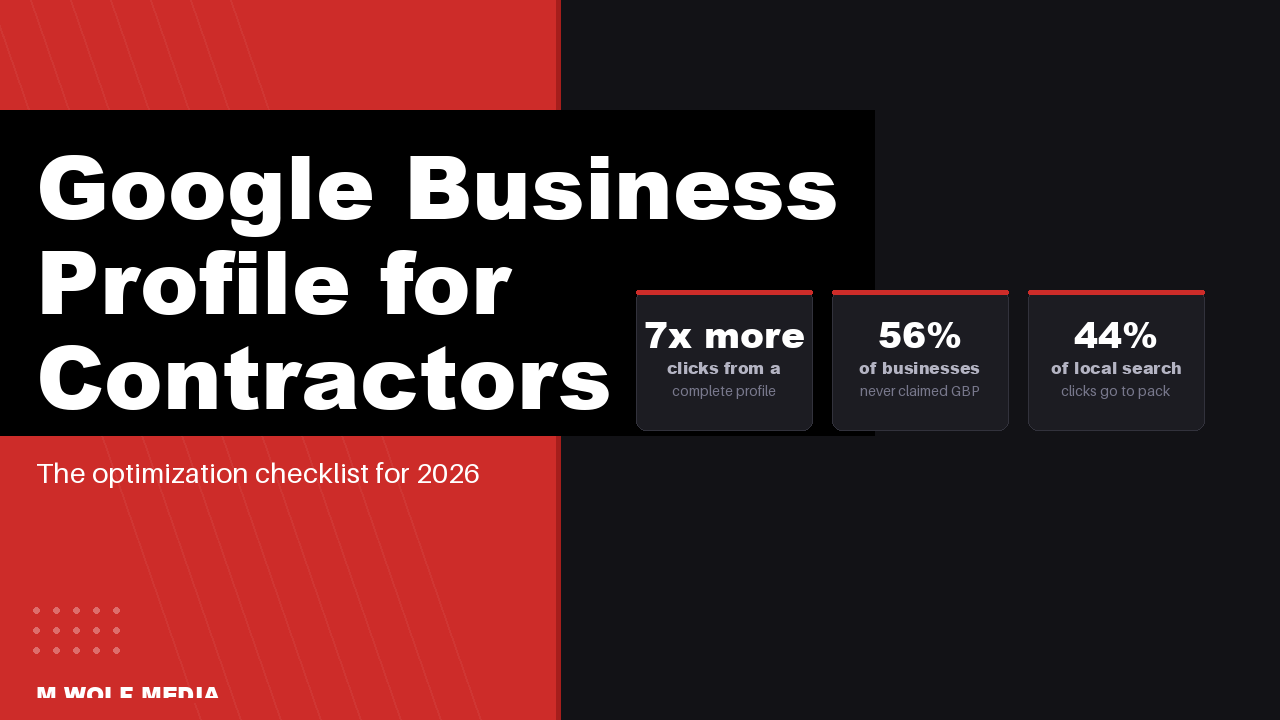
Before you can optimize anything, you need to own your profile. Surprisingly, 56% of local businesses have never verified their Google Business Profile, which means Google is either auto-generating a thin listing for them or they have no presence at all in local search.
Step 1: Claim or create your profile
Go to business.google.com and sign in with the Google account associated with your business. Search for your business name. If a listing exists, claim it. If not, create a new one. Google will send a verification postcard to your business address or offer phone/email verification depending on your business type.
One important note: make sure the address you use for verification is your actual service address or office, not a P.O. box or a residential address you want hidden. Service-area businesses (contractors who go to the customer) can hide their address from the public after verification while still appearing in local results.
Step 2: Choose the right primary category
Your primary business category is the single most important ranking signal in your Google Business Profile. Google uses it to determine which searches you are eligible to appear for. Be specific. "General Contractor" will compete in far more searches than "Roofing Contractor" but rank well in far fewer. Choose the most specific category that accurately describes your primary service.
After setting your primary category, add up to 9 secondary categories for other services you offer. Examples for a roofing company: Roofing Contractor (primary), Gutters (secondary), Siding Contractor (secondary), Roof Inspection Service (secondary).
Step 3: Set your service area correctly
Add every city, town, and zip code you actively serve. Do not add areas you rarely work in just to expand your footprint. Google's algorithm cross-references your service area with where your reviews come from and where your customers are located. Padding with fake service areas dilutes your relevance signals.
For most contractors, 15 to 25 specific cities or a radius around your primary location is the right approach. Radius settings are available but city-by-city is generally more precise.
Step 4: Fill in every business attribute
Google asks for attributes based on your category. For contractors, these typically include: whether you are licensed and insured, whether you offer free estimates, whether you are veteran-owned or woman-owned, your hours of operation, and whether you offer emergency services. Every filled attribute is an additional relevance signal and some (like "free estimates") appear directly on your profile card in search results.
Step 5: Write a keyword-rich business description
You have 750 characters for your business description. Use them. Include your primary service, the cities you serve, and any differentiators (years in business, certifications, warranty terms). Do not keyword-stuff, but do write for both search relevance and the human reading it. A strong description for a roofing contractor might look like this:
"[Company name] is a licensed and insured roofing contractor serving [city], [city], and the surrounding [region] area. We specialize in asphalt shingle replacement, storm damage repair, and flat roof systems for residential and commercial properties. Free estimates. GAF-certified installer. 5-year workmanship warranty on all new roofs."
Part 2: Photos, reviews, and posts that push you into the local pack
Once your profile is set up correctly, three ongoing activities separate the contractors in the local pack from everyone else: photos, reviews, and posts. Each one sends engagement signals back to Google that influence where you rank.
Photos: volume and quality both matter
Profiles with 100 or more photos receive 520% more calls than profiles with fewer images. That number is not a typo. Most contractors upload 5 to 10 photos at setup and never add another one. That is a significant ranking and conversion gap you can close by simply adding photos from every job you complete.
What to upload:
- Project photos: before and after, minimum 2 to 4 photos per job. Label them with the service type and city when uploading.
- Team photos: your crew on site, your truck with your logo visible, your team in uniform. These build trust and humanize your profile.
- Interior/exterior of your business if you have a physical location.
- Cover photo: your best project photo or a professional shot of your crew. This is the first image people see on your profile card in search results.
Set a target of adding 5 to 10 photos per week until you hit 100, then continue adding from new jobs monthly.
Reviews: how to get them and what to do with them
Reviews account for roughly 20% of local pack ranking signals. The two metrics that matter most are your star rating (maintain 4.5 or above) and your review velocity (how many new reviews you are getting per month). A profile with 200 reviews that stopped getting new ones 8 months ago will lose ground to a competitor with 50 reviews that gets 5 new ones every month.
How to generate reviews consistently:
- Ask at job completion, in person. Most customers who are happy will leave a review if you ask directly and send them a link. The link is key: go to your GBP dashboard, find "Get more reviews," and copy the short link. Text it to every customer within an hour of job completion.
- Add the review link to your invoice footer and email signature.
- Set a goal of 4 new reviews per month minimum. Track it monthly.
How to respond to reviews: Respond to every review within 48 hours. For positive reviews, thank the customer by name (if visible), mention the specific service you performed, and include your city. This adds keyword-rich content to your profile. For negative reviews, respond calmly, acknowledge the concern, offer to make it right, and move the conversation offline. Businesses that respond to all reviews see a 16.4% higher conversion rate than those that do not.
GBP posts: the most underused feature in local SEO
Google Business Profile posts let you publish updates, offers, and events that appear on your profile in search results. Most contractors never use them. The ones who do get a measurable engagement boost.
Post cadence: once per week minimum. Keep posts short (100 to 300 words) with a photo and a call to action. Types that work well for contractors:
- Offer posts: "Free gutter inspection with any roof estimate this month in [city]"
- Update posts: "Just completed a full shingle replacement in [neighborhood]. Before and after photos below."
- Event posts: "Home show in [city] this weekend. Stop by our booth for a free estimate."
Posts expire after 7 days unless they are set as "offers" (which last until you set an end date). Build posting into your weekly routine alongside your social media content.
The Q&A section: populate it yourself
Google lets anyone ask questions on your profile, and anyone can answer them. If you leave the Q&A section empty, customers or competitors may fill it with inaccurate information. Log in and add the 5 to 10 most common questions you get from customers: "Do you offer free estimates?", "Are you licensed and insured?", "What areas do you serve?", "How long does a [service] take?" Answer each one yourself using keywords naturally.
Part 3: The monthly maintenance routine that keeps you ranking
Getting into the local pack is a one-time optimization effort. Staying there requires consistent maintenance. Here is the monthly routine that takes about 30 minutes and keeps your profile competitive.
The GBP monthly checklist
| Task | Frequency | Time |
|---|---|---|
| Upload 5-10 new project photos | Weekly | 10 min |
| Publish 1 GBP post (offer or update) | Weekly | 5 min |
| Respond to all new reviews | Within 48 hrs | 2 min each |
| Text review link to completed jobs | After each job | 1 min |
| Check for and remove spam reviews (flag) | Monthly | 5 min |
| Verify all business info is still accurate | Monthly | 5 min |
| Add new services or update descriptions | Quarterly | 15 min |
| Check insights: calls, direction requests, website clicks | Monthly | 5 min |
How to read your GBP insights
Your GBP dashboard shows you how many people saw your profile, how many called you, how many requested directions, and how many clicked through to your website. Track these numbers month over month. If calls drop while views stay flat, the issue is your profile conversion (photos, reviews, description). If views drop, the issue is ranking (category, citations, or new competitor activity).
A well-optimized contractor profile averages 1,803 views and 81 actions per month according to BrightLocal benchmarks. If you are significantly below that, there is room to grow with more photos and more consistent review generation.
Citations: the often-overlooked ranking signal
Citations are mentions of your business name, address, and phone number (NAP) on other websites. Google cross-references your GBP information against these external sources to verify your business is legitimate and located where you say it is. Inconsistent NAP data (different phone number on Yelp vs. your website vs. your GBP) is one of the most common reasons contractors fail to rank in the local pack despite having a complete profile.
Run a citation audit using a tool like BrightLocal or Moz Local. Fix any inconsistencies. Then build citations on the top platforms for home service contractors:
- Yelp
- Angi (formerly Angie's List)
- HomeAdvisor
- BBB (Better Business Bureau)
- Houzz (for design-oriented trades)
- Facebook Business page
- Apple Maps
- Bing Places
Your name, address, and phone number must be identical on every platform. Abbreviations count ("St." vs "Street", "Ave" vs "Avenue" both create citation inconsistencies).
What to do when a competitor outranks you
If a competitor consistently outranks you in the local pack despite your optimizations, look at three things: their review count and velocity (are they getting more new reviews per month?), their photo count (do they have significantly more?), and their Google Ads presence (Local Services Ads show above the organic local pack and are worth running alongside your GBP if your budget allows).
In most markets, consistent photo uploads, a strong review velocity of 4 or more per month, and complete profile attributes will get you into the top 3 within 60 to 90 days. Local SEO compounds over time. Every photo, every review, and every post builds on the ones before it.
Free: GBP Optimization Checklist for Contractors
Everything you need to set up and optimize your profile this week.
- Complete setup checklist: every field, category, and attribute that matters
- Review request text template to copy and send after every job
- Monthly maintenance routine (30 min/month to stay in the top 3)
- Citation audit list: the 12 directories every contractor must be on
Frequently asked questions
How long does it take to rank in the Google local pack as a contractor?
For most contractors starting with an unclaimed or thin profile, a fully optimized Google Business Profile begins showing local pack results within 30 to 60 days. Reaching a top-3 position in a competitive market typically takes 60 to 90 days of consistent photo uploads, review generation, and weekly posting. Less competitive markets can move faster.
Should I use my home address or a virtual office address for my GBP?
Google prohibits using virtual offices, P.O. boxes, or addresses where you do not have a legitimate presence. If you work from home, you can use your home address for verification and then hide it from the public listing. This is a supported feature for service-area businesses. Do not use a fake address. Google has been aggressively removing listings that do not have a verifiable physical presence at the listed address.
How many Google reviews does a contractor need to rank in the local pack?
There is no minimum review count to rank in the local pack, but review quantity and velocity are significant ranking factors. In most mid-size markets, 25 to 50 reviews with a 4.5+ rating is enough to compete. In larger markets (Phoenix, Houston, Atlanta) top-ranked contractors often have 100 to 300+ reviews. More important than a specific number is getting 3 to 5 new reviews per month consistently.
Can I have a Google Business Profile if I do not have a physical storefront?
Yes. Google has a service-area business category designed for contractors and other businesses that go to the customer rather than having customers come to them. You verify with your real address, then set your service area by cities or radius, and hide your address from the public listing. Your profile will still appear in local searches within your service area.
What is the difference between Google Business Profile and Google Local Services Ads?
Google Business Profile (GBP) is your free organic listing in local search results. Google Local Services Ads (LSA) are paid placements that appear above the organic local pack. They are separate products. Many contractors run both: an optimized GBP for free organic visibility and LSAs to appear at the very top of results. LSAs also come with the Google Guaranteed badge, which increases consumer trust and improves conversion rates.
How do I handle fake or negative reviews on my Google Business Profile?
For fake reviews (from someone who was never a customer, from a competitor, or clearly fraudulent), flag them using the 'Report review' option in your GBP dashboard. Google reviews flagged reviews and removes them if they violate policies, though this can take weeks. For genuine negative reviews, respond professionally within 48 hours, acknowledge the issue, offer to make it right, and move the conversation to phone or email. Never argue publicly.
Keep reading
Ready to get more leads from Google?
Tell us about your current setup and we will show you exactly where to start.
Grab the GBP Checklist
The complete setup and monthly maintenance checklist for contractor Google Business Profiles, plus a review request text template.
No spam. Unsubscribe anytime.
How would you describe your current Google Business Profile?
What is your biggest challenge with local search right now?
Last step. Where should we send your free audit?